Mint Berry Crunch VSCode theme
Mintberry Crunch VS Code Theme

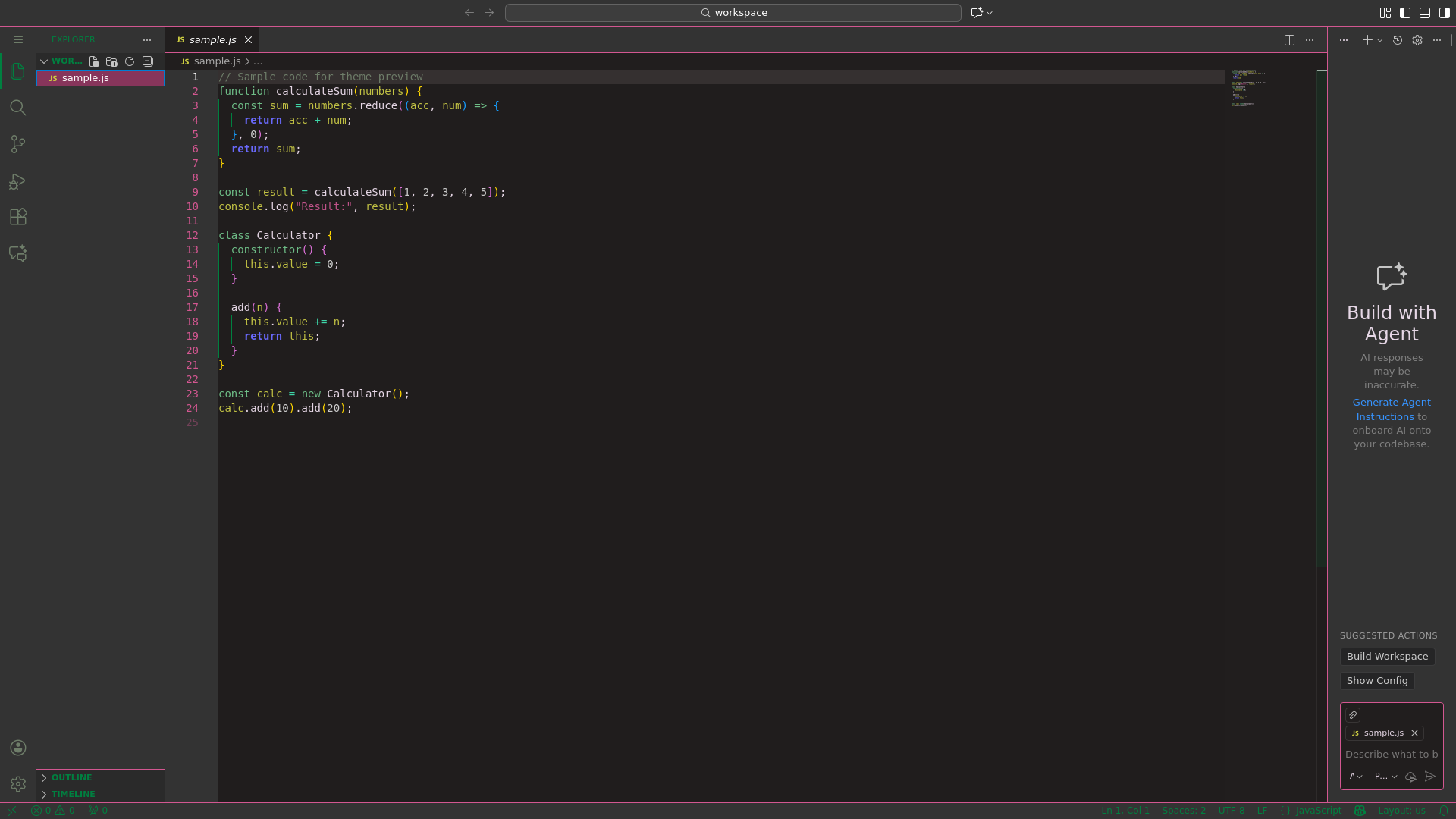
A vibrant dark color theme for Visual Studio Code with mint green and pink accents, converted from TextMate.

Features
- Vibrant Color Palette - Mint green icons and pink borders create a distinctive, refreshing aesthetic
- Dark Theme - Easy on the eyes for long coding sessions
- Comprehensive Syntax Highlighting - Supports JavaScript, TypeScript, Python, PHP, CSS, HTML, and more
- Full UI Theming - Activity bar, sidebars, panels, status bar, and editor all styled consistently
Installation
- Open VS Code
- Press
Ctrl+Shift+X(orCmd+Shift+Xon Mac) to open Extensions - Search for "Mintberry Crunch"
- Click Install
- Press
Ctrl+K Ctrl+T(orCmd+K Cmd+Ton Mac) to open the theme picker - Select Mintberry Crunch
Color Palette

Primary Colors:
#211e1e/#333333- Base Dark#E6D7E6- Lavender#d35791- Mintberry Pink#008040- Mint Green
Secondary Colors:
#6CE26A- Bright Green#87355B- Dark Pink#6F2c32- Crimson
Neutral Colors:
#ffffff- White#6e7d69- Muted Sage#2a2a2a/#353030- Charcoal
Accent Colors:
#3ED6A8- Teal#AD9361- Gold#C1C144- Yellow-Green#6782D3- Blue
Development
To build and test locally:
npm install
npm run screenshot  # Generate theme preview screenshot
License
MIT License - see LICENSE.md for details